01TokenTint

Open the reference page
Start with a real interface whose colors you want to turn into reusable color tokens.
Explore workflowTokenTint for frontend workflows ●
Convert colors collected from real websites and interfaces into reusable CSS or W3C color tokens—without pretending to be a full design-system management platform.
✓ Free forever · No credit card required
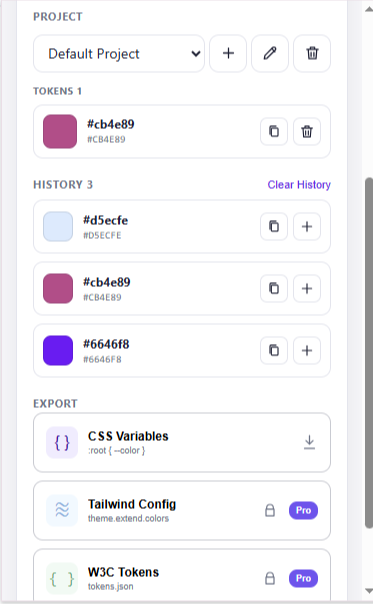
A calmer way to build color systems
Color tokens become tedious when values are copied from a browser, renamed in a spreadsheet, and later re-entered into code. The handoff loses the source context and makes small inconsistencies easy to introduce.
TokenTint focuses on the color-token part of the workflow: collect interface colors, group them in a project palette, and export CSS Variables or W3C Design Tokens. Naming, semantic decisions, and documentation stay in the tools your team already uses.
A better color workflow
Pro workflow
Start from a real interface, build a focused color token set, and hand the result to your codebase.
Start with a real interface whose colors you want to turn into reusable color tokens.
Explore workflow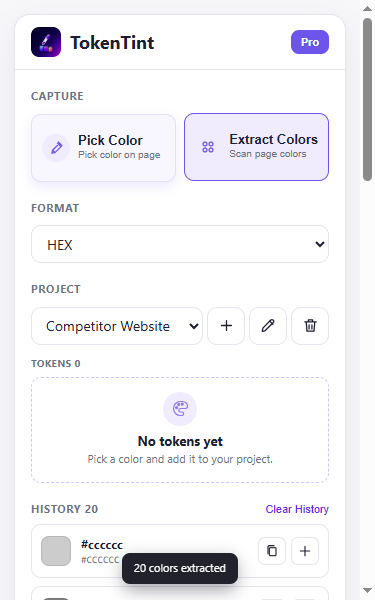
Scan the active page for a broader starting set of colors instead of collecting every value one by one.
Explore workflow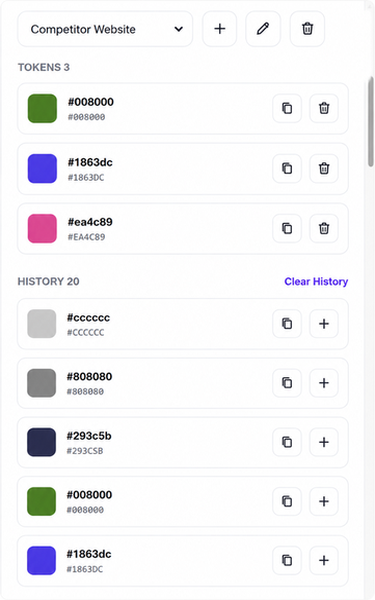
Keep related colors together in the selected project before deciding on semantic names and roles.
Explore workflow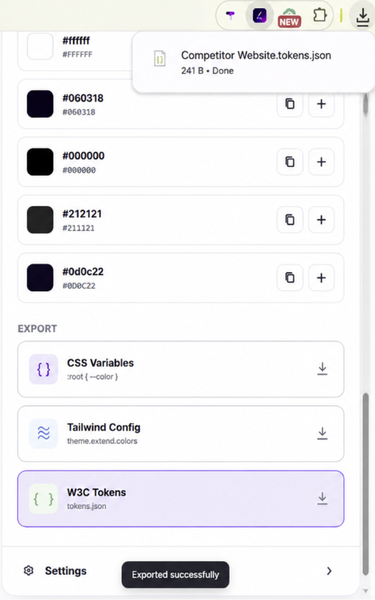
Export CSS Variables or W3C Design Tokens as a development starting point.
Explore workflowREAL OUTPUT
TokenTint gives you a project color palette first, then turns it into a code-ready starting point. You can refine names and semantics in your own repository.
{
  "color": {
    "brand": {
      "$value": "#635BFF",
      "$type": "color"
    }
  }
}Why TokenTint instead of a basic color picker? TokenTint is a color-token generator, not a full design-system platform: it helps you move from sampled interface colors to usable exports, while your team keeps ownership of naming and design decisions.
Collect colors from the active website, group the useful values in a TokenTint project palette, and export them as CSS Variables or W3C Design Tokens.
Yes. W3C Design Tokens export is available with Pro. Free users can export project colors as CSS Variables.
TokenTint focuses on color tokens collected from real interfaces. It does not generate typography, spacing, motion, or an entire design system.
No. TokenTint focuses on collecting, grouping, and exporting colors. Naming conventions, semantic roles, and documentation remain in your existing workflow.
Yes. Pick colors from the active webpage, or use Pro page extraction to create a broader starting palette before exporting.